


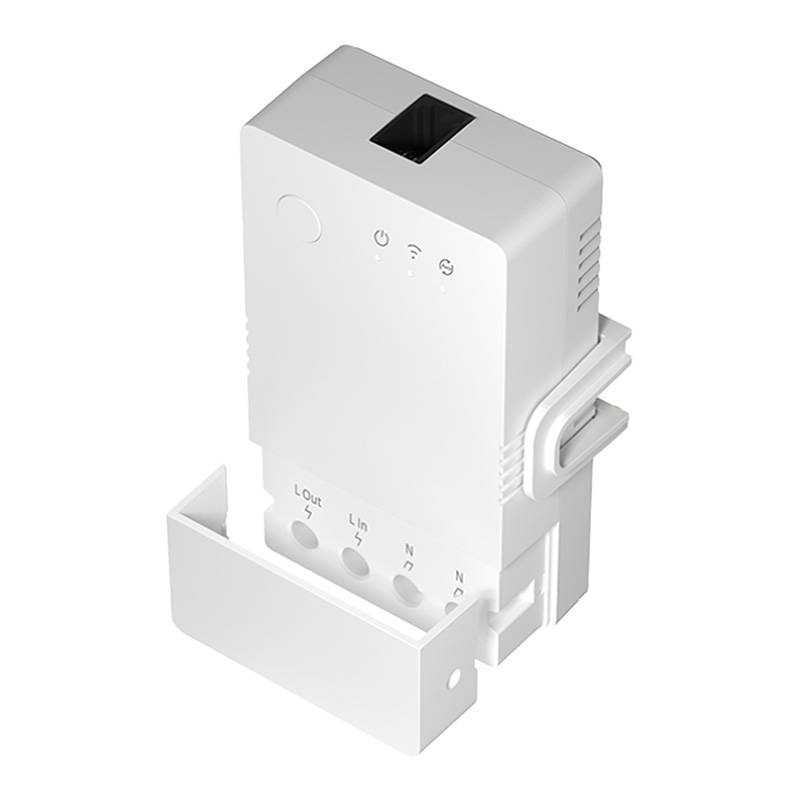
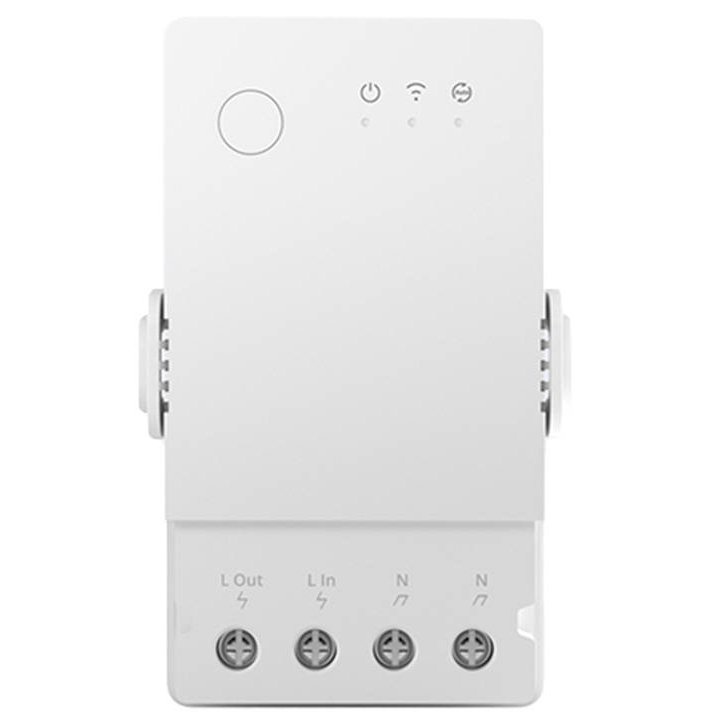
TH Origin (R3) WiFi Smart Relay (230V/16A) with THR320 Sonoff sensor input

Description
TH Origin WiFi Smart Relay (R3) - Sonoff THR320, 230V / 20A, temperature/humidity sensor compatible
TheSonoff THR320 is the new R3 version of the TH Origin series - a WiFi smart relay that enables automated control of electrical equipment based on temperature, humidity or soil moisture. Ideal for heating, ventilation, irrigation and more.
✔️ Remote control via WiFi
Control your relay anytime and from anywhere directly from the eWeLink app, no additional hub required.
🌡️ Smart sensor compatible
You can connect the following sensors (not included):
-
THS01 - temperature and humidity sensor (recommended)
-
SI7021 / AM2301 - temperature and humidity sensors
-
DS18B20 - waterproof temperature sensor
-
MS01 - soil moisture sensor
The measured values can be used for automation of connected devices.
🔁 Smart automation
You can set operating modes in the app:
-
Manual - switch the device on/off in the app
-
Automatic - operates the relay based on temperature, air humidity or soil moisture (only one type of measurement is chosen for automation)
-
Push notifications - receive alerts when measured values exceed set thresholds or when the relay changes state
📊 Sensor data history
The eWeLink app saves and graphs up to 6 months of measured data directly to your phone.
⚡ Other useful features
-
Real-time status check (on/off)
-
Momentary switching (ex: 0.5s / 1s)
-
Timer, programme on/off, countdown
-
Shared control with other family members
-
Group devices by rooms and smart scenes
-
Compatibility with Amazon Alexa, Google Assistant, IFTTT and Google Nest
🔧 Easy DIN rail mounting
Includes adapter for DIN rail mounting in electrical panel.
Connectivity
-
2.4 GHz WiFi network
-
Quick add in app via Bluetooth
Technical Specifications:
-
Model: THR320
-
Supply voltage: 100-240V AC, 50/60Hz
-
Maximum current: 20A
-
Connectivity: WiFi 2.4 GHz (IEEE 802.11 b/g/n)
-
Sensor connector: RJ9 (new in R3 version)
-
Dimensions: 98 x 54 mm
-
Material: PC V0 (flame retardant)
-
Colour: White
Manufacturer: Sonoff
App: eWeLink (Android/iOS)
No hub required!